Vicway openers: find your model first
The Door Hero is not connected with Vicway. The steps here come from Vicway's own manuals.
Vicway's website names the business Vicway Australia (Prodoor Automation). It lists openers for panel lift, roller and tilt doors, remote controls and accessories, and sliding and swing gate openers, with showrooms in Victoria and New South Wales.
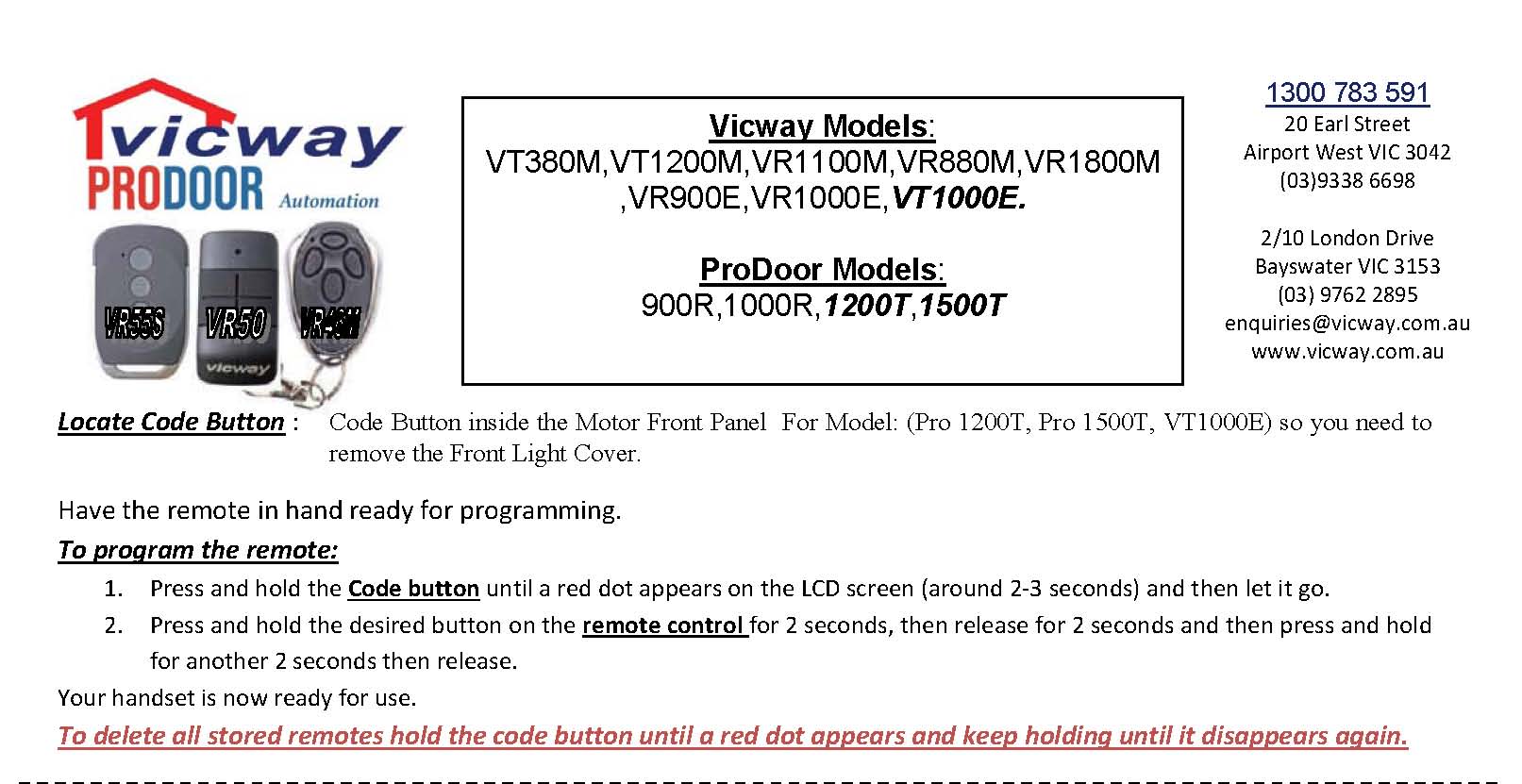
Vicway prints separate instructions for different openers, so the label on the motor tells you which steps to use. One programming sheet covers the Vicway VT380M, VT1200M, VR1100M, VR880M, VR1800M, VR900E, VR1000E and VT1000E, and the ProDoor 900R, 1000R, 1200T and 1500T. The 380G and 390G have instructions of their own, and so does the V500 gate opener. For any other Vicway model, check the manual for your model.
Programming a remote with the Code button
Reach the Code button
On the Pro 1200T, Pro 1500T and VT1000E, Vicway's sheet puts the Code button inside the motor's front panel, so the front light cover comes off first.
Hold Code until the red dot shows
Press and hold Code until a red dot appears on the LCD screen. Vicway says that takes around 2 to 3 seconds. Then release it.
Hold, rest, hold on the remote
Hold the remote button you want for 2 seconds, release it for 2 seconds, then hold it another 2 seconds and let go.
Test from outside the door's path
Stand where you can see the whole door, with nothing under it, and press the remote.
Vicway garage door reset: clearing every remote
On the openers that sheet covers, Vicway clears the stored remotes with a longer hold of the same Code button. Hold it until the red dot appears, keep holding, and release once the dot disappears again.
That deletes all of them, so program back each remote you still use with the steps above. The Vicway sheets read for this guide describe no other kind of reset, such as setting the door's travel limits. For that, check the manual for your model or leave it to a door specialist. Other kinds of reset are explained in resetting a garage door opener.
Vicway 380G and 390G: the S button
Match the remote to the old one
Vicway's handset instructions for these two openers say to use the FR60 if the old remote has white buttons, and the VR50, VR55s or VR46M if its buttons are blue.
Take off the control panel cover
The S button sits under the control panel cover, below the LCD screen. Squeeze the cover's 2 sides to remove it.
Hold S until 0 appears
Press and hold S until 0 shows on the LCD, which Vicway puts at around 2 to 3 seconds.
Press, pause, press
Press the chosen remote button for about 2 seconds, release it for 2 seconds, then press it once more for 2 seconds and release.
Which Vicway remote suits which opener
| What Vicway says it suits | Battery, per Vicway | |
|---|---|---|
| VR55s (433MHz, 4 channel) | VT380M, VT1200M, VR1100M, VR800M, VR880M, VR1800M, VR900E, VR1000E and VT1000E; ProDoor 900R, 1000R, 1200T and 1500T; the 380G and 390G only where the original remote has blue buttons | Not stated on its page |
| FR60 | 380G, 390G and 380LM openers, the V500 sliding gate and the V600 swing gate, only where the old remote is an FR46 with white buttons. It replaces the FR46, FR32, FR42 and FR11 | 27A 12V, included |
Vicway V500 sliding gate: storing a remote
Press CODE for 2 seconds
Vicway's V500 manual says to press CODE for 2 seconds and release it. The DL5 LED comes on.
Press the remote button twice
Press the button you want for full open and close two times.
Watch DL5 go out
The remote is stored when DL5 goes off. Test it with the gate in view and nobody in its path.
Clearing remotes from a V500
Vicway describes the V500 as a sliding gate opener for gates up to 1200kg and 9m long, using a rolling code transmitter. Its manual says the receiver holds up to 16 remotes.
To delete them all, the manual says to press the CODE button for about 8 seconds, until the CODE LED turns off. If the gate itself is misbehaving, the gate motor not working guide is the place to start.
Vicway remote batteries
Vicway names the FR60's battery: a 27A 12V, included with the remote. For other Vicway remotes, check the remote itself or its manual for the battery type.
Queensland Fair Trading lists remote controls among the everyday products that hold button batteries, and says a lodged battery can cause severe burns in as little as 2 hours, so keep remotes and spare batteries well out of children's reach. More on a remote that has stopped working is in garage remote not working.
What to tell the door specialist
- The Vicway or ProDoor model on the motor's label, such as VT1000E or 390G
- The colour of the buttons on your old remote, if it is a 380G or 390G
- Whether it is a garage door or a V500 or V600 gate
- Whether the remotes have been cleared and how many need programming back
- What the LCD or LEDs showed when you tried
What you can do, and what to leave
You can
- Program a remote with the steps Vicway gives for your opener
- Clear all remotes after one is lost, then add back the rest
- Match a replacement remote to your old one's button colour
Leave to a door specialist
- An opener that won't learn a remote after following Vicway's steps
- Travel limits, force settings or anything past the remote steps
- A Vicway model whose manual you don't have
If you need a door specialist
The door specialist who takes the job may or may not work on Vicway openers. Put the model in when you tell us the job, so they can check it before they visit. For how openers learn remotes across makes, see the garage remote programming guide.

What we would do
If a 380G or 390G remote goes missing, look at the buttons on the one you still have before ordering another. Vicway splits its replacements by button colour, white for the FR60 and blue for the VR50, VR55s or VR46M, so the colour saves you buying the wrong one.